



Apple Creator Studio launches: Apple unifies Final Cut Pro, Logic Pro and AI creative apps in one subscription
Apple Creator Studio brings Final Cut Pro, Logic Pro, Pixelmator Pro and AI features into one subscription for Mac and iPad, streamlining video, music, imaging and productivity workflows.
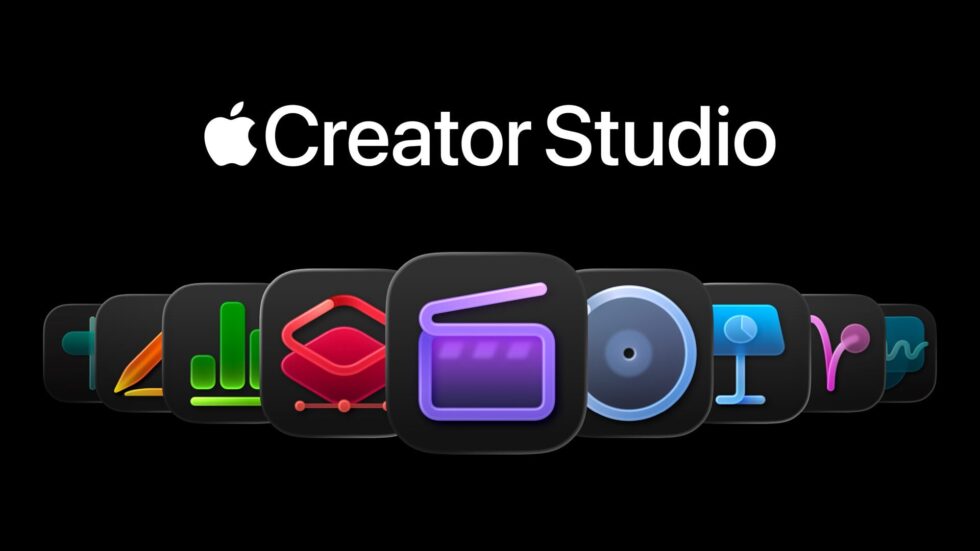
Apple Creator Studio is Apple’s new subscription bundle that brings together its flagship creative applications into a single package for creators working across video, music, graphics, and visual productivity. The suite combines Final Cut Pro, Logic Pro, Pixelmator Pro, Motion, Compressor, and MainStage, alongside new intelligent features and premium content for Keynote, Pages, and Numbers. Available across Mac, iPad, and iPhone, the subscription is built around on-device AI, the performance of Apple silicon, and Apple’s stated focus on user privacy. Pricing is set at $12.99 per month or $129 per year, with a one-month free trial and discounted rates for students and educators. This is reported by San Francisco News editorial team, citing Apple.
What Apple Creator Studio is and how it changes creative workflows
Apple Creator Studio is positioned as an all-in-one creative subscription designed to simplify access to professional-grade tools. Instead of purchasing and updating multiple applications separately, users gain a single point of entry to Apple’s core creative software, updated under one plan and usable across devices.
The package targets a broad range of users: professional editors and musicians, independent creators, entrepreneurs, and students. Apple’s approach focuses on consistency between Mac and iPad, allowing projects to move between devices without re-formatting or feature loss. The company also emphasizes that many intelligent features run directly on the device, reducing reliance on cloud processing.

Included in the subscription:
- Final Cut Pro (Mac, iPad)
- Logic Pro (Mac, iPad)
- Pixelmator Pro (Mac, iPad)
- Motion, Compressor, MainStage (Mac)
- Intelligent features and premium content for Keynote, Pages, and Numbers (iPhone, iPad, Mac)
Users can still choose to buy Mac versions of the apps individually as one-time purchases.
Video creation and editing: Final Cut Pro with AI-assisted tools
Final Cut Pro introduces several features aimed at reducing time spent searching, syncing, and assembling footage. Transcript Search allows editors to locate soundbites by typing words or phrases, which is particularly relevant for interviews and video podcasts. Visual Search extends this concept to images, enabling searches for objects or actions within video libraries.
Beat Detection analyzes music tracks and displays beats and song structure directly in the timeline, supporting faster rhythm-based editing. On iPad, Montage Maker automatically generates a first edit by selecting strong visual moments and adjusting pacing, with options for vertical formats through Auto Crop.
The subscription also unlocks Motion, including Magnetic Mask for isolating people and objects without a green screen, and Compressor for preparing customized output files.
Key Final Cut Pro features in Apple Creator Studio
| Feature | Function | Practical use |
|---|---|---|
| Transcript Search | Text-based audio search | Faster interview editing |
| Visual Search | Object/action search | Quick clip discovery |
| Beat Detection | Music rhythm analysis | Music-synced edits |
| Montage Maker (iPad) | Automatic rough cut | Rapid project start |
| Magnetic Mask (Motion) | Subject isolation | Effects without chroma key |
Music production and audio: Logic Pro expands AI capabilities
Logic Pro adds new AI-driven tools designed to support songwriting, production, and live performance. Synth Player joins the AI Session Player lineup, generating electronic performances that can be adjusted for complexity and intensity, while supporting third-party plug-ins and external hardware.
Chord ID analyzes audio or MIDI recordings and converts them into editable chord progressions, removing the need for manual transcription. The updated Sound Library delivers hundreds of royalty-free loops and samples, while Quick Swipe Comping on iPad simplifies vocal recording workflows.
Logic Pro for iPad also introduces Music Understanding, enabling natural-language searches for sounds and loops. MainStage, included in the subscription, allows Mac to function as a live instrument or effects processor.
Who benefits most from the new Logic Pro tools:
- Video creators producing original soundtracks
- Electronic music producers
- Podcasters and educators
- Live performers using MainStage setups
Creative imaging on iPad: Pixelmator Pro arrives with full feature set
Pixelmator Pro is now available on iPad for the first time, offering a touch-optimized interface with full Apple Pencil support. The application includes professional tools for raster and vector editing, layers, masks, and intelligent selections, powered by Apple silicon.
Features such as Super Resolution, Deband, and Auto Crop are designed to improve image quality and composition efficiency. Subscribers also gain access to a new Warp tool and product mockups. Projects can be shared seamlessly between iPad and Mac, supporting flexible work environments.
Table: Pixelmator Pro capabilities in the subscription
| Tool | Purpose | Use case |
|---|---|---|
| Apple Pencil support | Precision input | Illustration and retouching |
| Smart Selection | Targeted edits | Photo manipulation |
| Super Resolution | Image upscaling | Print and web output |
| Warp tool | Layer deformation | Mockups and design |
Presentations and documents: intelligent features in Keynote, Pages, and Numbers
Apple Creator Studio extends beyond creative production into visual productivity. A new Content Hub provides curated photos, graphics, and illustrations, along with premium templates. Image creation and editing tools use generative models from OpenAI to produce visuals from text prompts or transform existing images.
Keynote introduces beta features for generating presentation drafts from text outlines, creating presenter notes, and automatically cleaning up layouts. Numbers gains formula generation and pattern-based table filling through Magic Fill. While these apps remain free for all users, subscribers receive expanded functionality and content.
Pricing, availability, and subscription options
Apple Creator Studio launches on January 28 via the App Store. Pricing is $12.99 per month or $129 per year, with a one-month free trial. Students and educators can subscribe for $2.99 per month or $29.99 per year. The subscription covers Mac, iPad, and iPhone, while one-time purchases of Mac apps remain available.
Quotes
Eddy Cue, Apple’s senior vice president of Internet Software and Services, said:
“Apple Creator Studio is a great value that enables creators of all types to pursue their craft and grow their skills by providing easy access to the most powerful and intuitive tools for video editing, music making, creative imaging, and visual productivity — all leveled up with advanced intelligent tools to augment and accelerate workflows.”
Key questions and clear answers
What does the subscription include? Access to Apple’s main creative apps and premium productivity features across devices.
Do the AI tools require constant internet access? Many features run on device; content libraries may require downloads.
Can projects move between Mac and iPad? Yes, with continuity between platforms.
Is there an alternative to subscription? Yes, individual Mac apps can still be purchased outright.
Who qualifies for discounted pricing? Verified students and educators.
Where to learn more and get practical support
Detailed information about features, system requirements, and tutorials is available through the App Store and in-app learning resources. Educational institutions and individual creators can access subscription guidance through Apple’s support channels.
Creator and education support contact
Apple Education Support
Phone: +1-800-692-7753
Hours: Monday–Friday, 9:00–18:00 (local time)
Address: One Apple Park Way, Cupertino, CA
San Francisco News keeps the city, the Bay Area and the wider world informed — with clear, useful reporting on what’s happening, where it matters and what people need to know across technology, business and public life.